



Recently, my Samsung Galaxy Note 8 developed a screen problem, with clearly visible image retention. Luckily, the smartphone was still within its warranty period (12 months).
Although I try to be very careful when buying and using a phone, my own hard-earned experience has taught me that no matter how careful I am, I will drop it at least once. That is why whenever I buy a new smartphone, I immediately get a Spigen case and have a screen protector applied, sometimes even wrapping the entire phone to prevent cracks, scratches, or dents.
See also
Back to the issue that made me take my phone in for a screen warranty claim. My Samsung Galaxy Note 8 was suffering from image retention. Fortunately, I had bought an official, brand-new, factory-sealed unit with the full box, and it still had more than 1 month of warranty remaining (I bought it on October 1, 2017), so I did not hesitate to take it in. In this case, the warranty claim was for the Note 8 screen.
Step 1: Go to the nearest service center
I took it to the Samsung Service Center in Vũng Tàu. Since I live in Vũng Tàu, I went to the nearest service center.
Note the shipping and warranty service process:
No matter which shop you buy from (Thế giới di động, FPT Shop, Viễn Thông A, CellphoneS, Hoàng Hà Mobile, Bạch Long Mobile, etc.), when you have a problem that needs repair support, take it straight to the nearest service center to save time.
If you take it to the shop, its customer support and technical staff only have the expertise to install software and check minor issues, not the ability or responsibility to repair it for you. They will issue a receipt for your device and then WAIT to send it to the service center anyway (Waiting, episode 1).
The same applies to provincial and local service centers: if the fault is a little more serious, they will simply accept the device and WAIT to send it to the main facilities in Hà Nội or Hồ Chí Minh (Waiting, episode 2). There is more: if you are lucky and a shipment is heading to TP.HCM, this second waiting period will be a little shorter (around 1 day); if not, it will take several days.
Once it reaches the service center, staff will process the intake and inspect the device, then record the fault and call you to explain its condition and the repairs needed. Whether your product qualifies for free repairs or replacement depends on the severity of the fault, warranty coverage, and warranty period. (Waiting, episode 3)
There is more: if you are lucky and the parts are in stock, once you agree to the information the technician gives you, you will only have to wait a few hours for disassembly, replacement, reassembly, and then software processing to synchronize the data with the manufacturer’s server (if you check the device and encounter a problem later, Samsung’s customer service staff will respond based on this data).
If you are unlucky, you have to wait for the parts to be ordered. At Samsung service centers, that means waiting for parts to arrive from the Samsung Vietnam factory in Bắc Ninh (for phones) or the District 9 Hi-Tech Park (for TVs, refrigerators, electronic appliances, etc.). (Waiting, episode 4)
Once everything is done, you will receive your device after shipping, return processing, and transfer back to your local service center (Waiting, episode 5).
Put all these episodes together, and you have your very own series about the product warranty journey, running for at least 1 week.
That is why you should not be overly optimistic about all the attention, pampering, and warm greetings you get at retail shops. When you actually need warranty repairs, things can get quite exhausting.
Back when the Note 5 first launched, I took mine to the Samsung Service Center in Vũng Tàu and came away with a poor impression. After about 3 months of use, the connector on my Samsung charging cable (the one included in the full box) developed a problem. Poor contact meant that fast charging stopped working. As you know, fast charging is a key advantage of Samsung phones and other phones with large batteries. Without it, you have to sit around waiting more than 3 hours for your phone to charge to 100%, just like an Iphone.
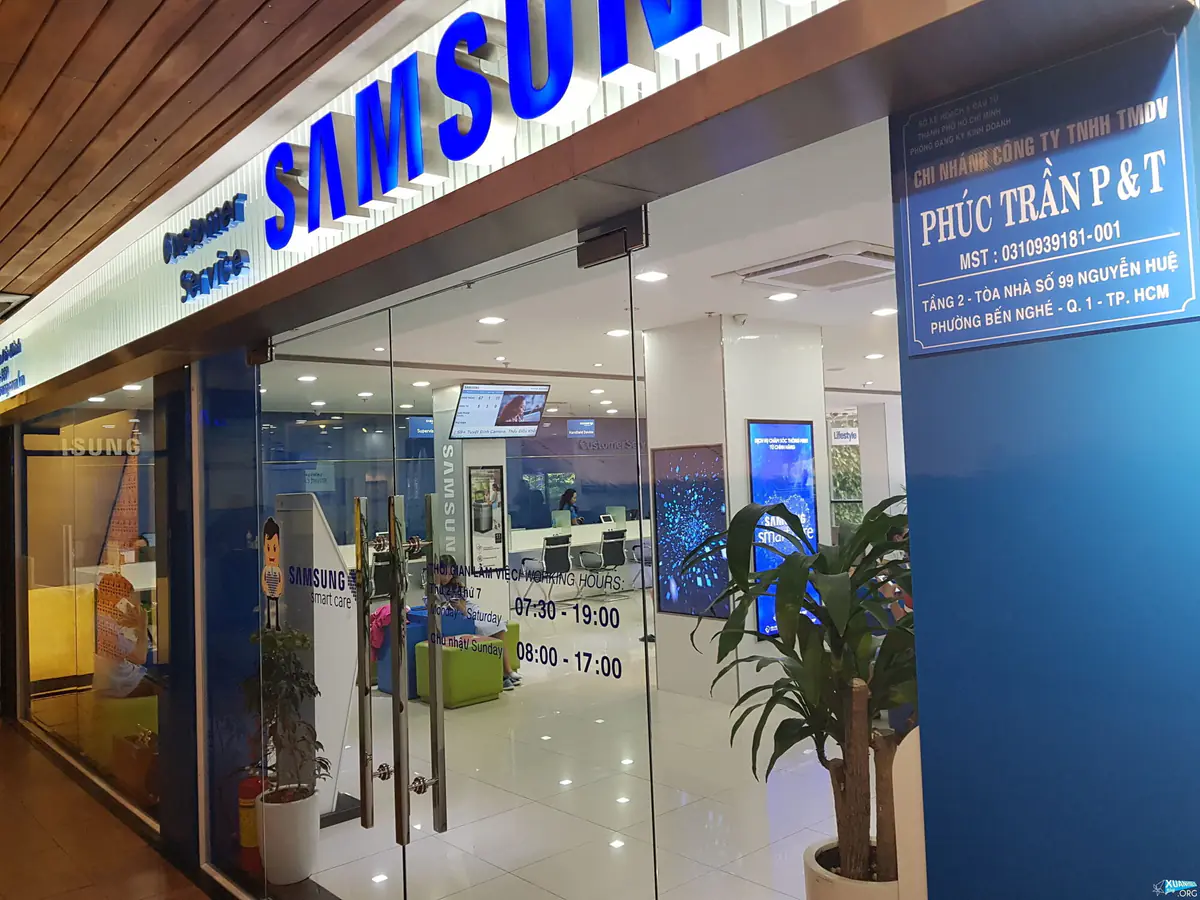
The company handling my case at the time (2015) was Tín Nguyên. In fact, companies providing warranty services or selling products (Samsung Experience Store - SES) are merely Samsung’s authorized dealers—clearly stated on the blue sign right by the entrance. Once they meet Samsung’s capability requirements and other conditions, they are allowed to partner with Samsung to provide customer care and warranty services (Customer Service) for Samsung products within their registered area.
I would rate Tín Nguyên quite poorly for customer service. I called their landline in advance, using the number I found on Samsung’s website for the Vũng Tàu service center, but the advice they gave me was inaccurate and incomplete.
I then took the phone in to find out what was actually going on. The employee handling my case was quite pretty, but her words, attitude, and behavior were not up to standard: she spoke abruptly, kept her eyes glued to her computer screen while dealing with customers, ignored what the customer was saying while chatting privately with another employee, then asked the same questions again a little later before simply telling me to go to the technicians’ counter.
At the technicians’ counter, I had to wait around for a while before anyone attended to me. I explained that fast charging was not working, even though I already knew that replacing the charging cable would fix it; I wanted to see how capable the technicians were at diagnosing the problem. Yet more than 1 hour passed—I left work at 16:30, went straight there and arrived close to 17:00, and they kept messing around until after 18:00, when the service center closed. The reception staff had already gone home, while the 2 technicians kept going back and forth without finding the fault.
Then I suggested trying another charging cable, but they insisted that would not work. When they finally tried it and it worked, they did not acknowledge it and instead said, let me check, “I don’t think this is covered by the warranty!?” Hearing that, I made the technician call Samsung’s hotline himself to confirm why it would not be covered. Eventually, he promised that when stock arrived, I could come back and have the charging cable replaced.
I had to go back and forth several times, and the staff at the Samsung Service Center in Vũng Tàu—Tín Nguyên—never called to let me know. Only after calling them myself did I find out that the replacement was in stock, all just to exchange a charging cable (which costs a few tens of thousands of VND at a shop or online).
Because of that kind of customer service and lousy warranty support, for the next 3 years, whenever I bought and used any device—from another Note 5, S7edge, J7 Prime, J7 Pro, Note 7, A9pro, and S8plus to the Note 8, and so on—I took great care of it to avoid anything unfortunate happening, so I would at least have grounds to push back if I had to deal with such clueless people again.
Objectively speaking, however, Samsung’s service is of a high standard compared with many other brands. This year, when I took my Note 8 in for warranty service, I saw a different sign: “B2X Care Solution Việt Nam Company.” This time, the center handled the intake quite well, responded helpfully, and got straight to the point. I was satisfied: I was in and out in 3 minutes.
Back home, I Googled B2X Care Solution Việt Nam https://www.google.com.vn/search?q=B2X+Care+Solution+Việt+Nam and what I found looked good.
This company has several branches, including one in Vũng Tàu.
B2X Care Solution Việt Nam enters a strategic partnership with Samsung Việt Nam 19:23 04/08/2017
B2X Care Solutions Việt Nam is a joint venture between B2X—a world-leading provider of customer care services for smartphones and Internet-connected devices (IoT)—and Công ty Cổ phần Thế Giới Số (Digiworld Corporation).
I explained that I used this phone for work and could not conveniently leave it with them, and asked whether going directly to the city would be faster. The staff at this center advised that if I had the time and means to go to Sài Gòn, I should go straight there to save time, since replacing the screen would take just over 1 hour.
Step 2: Call the hotline for advice at 1800-588-855
This step was just to make sure I had the right service center addresses and could plan the travel time, since I live far away. I Googled Samsung support information and found the hotline number at https://www.samsung.com/vn/support/
The reason I needed to check was that each center is a branch of one of several Samsung-authorized companies, so policies and costs vary slightly. These companies also compete with each other on customer service, which benefits customers through the conveniences they receive.
I learned that the toll-free hotline 1800588855 operates 24/7, meaning you can call whenever you need to.
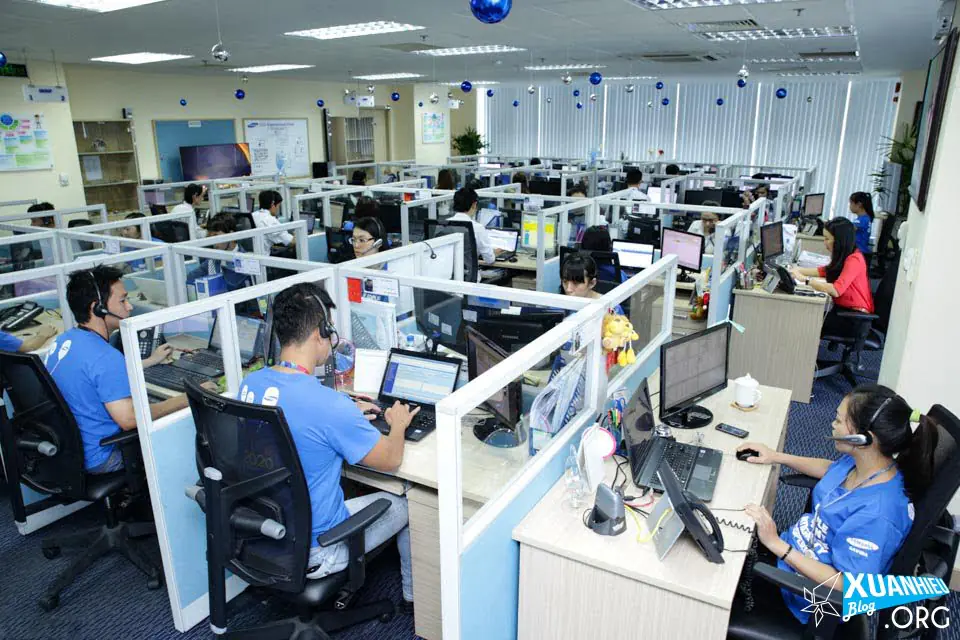
After I called to ask about the branches (I was deciding between Districts 1, 3, 5, etc.) so I could work out the closest place to get off the bus, I was told that any of them would be fine. However, when I asked about the screen ghosting, the representative insisted, “Your case IS NOT COVERED BY THE WARRANTY.” When I actually went in for warranty service, the technician accepted it immediately and did not refuse coverage at all, contrary to what the hotline representative had told me.
Step 3: Take the phone to the service center
I chose the service center on Nguyễn Huệ because online reviews suggested that it was spacious and offered the best service. When I arrived, it lived up to those reviews, and I was very satisfied.
This company is Phúc Trần P&T, which has its own website listing 4 branches: District 1, Thủ Đức District, Đà Lạt, and Lâm Đồng http://baohanhsamsung.net/, so do not wonder whether the centers in District 3, District 5, or elsewhere belong to the same company. They are all partners that have earned Samsung’s trust and met its strict requirements to become authorized warranty and customer service providers.
It took me 2 trips between Vũng Tàu and Sài Gòn, and my problem was resolved within 48 hours. The only thing was that I had to wait a little while for my turn, so I wandered around looking at things, had coffee and green tea matcha, read the news, and played with the devices while waiting—all free of charge…
Keep in mind that Samsung releases a lot of products every year, so authorized service providers are reluctant to stock too many parts (depending on the type) for fear of being left with unsold inventory. If parts are available, disassembly and replacement are very quick. Only if you are unlucky and run into a problem at the final stage of running Samsung’s software will the phone need to be reset and the wait extended. So if you have a problem, arrange your work schedule and expect to visit the service center at least 2 times to get it sorted; if you are lucky, it will take just 1 visit of a little over 1 hour.
Visit 1 (To the Samsung service center in District 1):
- A female employee went back and forth checking on customers and getting queue numbers for them, as well as telling customers which counter to go to when their number was called so their devices could be checked.
- The technician spoke politely and gently and handled the intake quickly. While entering my details and the device code, he also chatted with me about Samsung products.
- Normally, I would have had to leave the phone there so they could notify me of any additional issues, if any, and replace the part as soon as it arrived. However, I explained that I needed to keep using the phone and could not be without it for long, so they helped by printing an appointment slip for my next visit.
- Once everything was done, I signed the form confirming the warranty replacement order for the screen assembly (including the screen and frame), which would be sent to Samsung. The technician also made a point of telling me that he would call me directly. When I returned, I would not need to take a queue number as I had for the initial inspection; I could go straight to the technician for assistance.
Visit 2 (To the Samsung service center in District 1):
- I had only just returned home on Saturday evening when, the following afternoon (Sunday), the technician called to say the part had arrived and told me to come early on Monday morning (from 8:00 onward).
- Unfortunately, my phone had to be reset so the software on the technician’s laptop could recognize it and send the newly installed screen’s electronic code to Samsung’s server. Since I already backed everything up automatically with Google Cloud and Samsung Cloud, resetting was fairly easy and straightforward (experience gained from changing phones every 2–3 months). After the reset, the only time needed was for downloading and synchronizing everything again; absolutely everything (call history, contacts, logs, messages, apps, settings, photos, videos, etc.) going back years was still intact. Only temporary files on the phone were lost, and photos were no longer organized into their respective categories/folders on the device—just think of it as a cleanup.
- After the replacement, the phone was as good as new, with the seals completely intact.
Conclusion - Lessons learned
- When buying, consider warranty service rather than getting carried away by features advertised by the manufacturer or dazzled by sales service. Most of the time, you are pampered when buying, but when something goes wrong, you have to do the legwork yourself to get it fixed. Shouting, swearing, or anything else will not get the problem resolved in the best way.
- Do your research thoroughly: search Google and Facebook, join communities and groups for the product you use, and carefully read all the manufacturer’s policies, rules, and support terms for that product.
- Learn a little about the faults that can affect your device so employees cannot mislead you or take advantage of your lack of knowledge (this does not happen often, but it does happen, no matter how reputable the brand).
- Buy wherever you like, or wherever the gifts are appealing and suitable, as long as you make sure your product will receive the best warranty coverage. When it comes time for warranty service, you will still have to go to major centers in busy cities to get things done quickly.
The problem I encountered: Image retention on the Note 8 SUPER AMOLED screen
1. Image retention (burn-in)
Image retention occurs on devices used frequently, when faint images (ghost images) appear to be “stuck” on the screen. This results in pixels losing their color, or logos and frames failing to disappear completely when you change channels, causing one image to overlap another. The screen still functions normally, but it is irritating to look at. These faults are more a hardware issue than a software-related graphics glitch or a problem with the display control circuitry.
This condition is readily noticeable on devices using older CRT technology, where the phosphor compounds that emit light to create images lose brightness over time. LCD screens also experience similar issues, but less frequently (for example, Iphone used only LCD screens, but the Iphone 8, 8plus, and Iphone X use Samsung’s SUPER AMOLED screens, so this problem is entirely possible).
Although the problem is not as bad as on older CRT technology, today’s OLED smartphone screens are not immune. However, unless you look closely and go hunting for flaws, these defects can be very difficult to see. On smartphones, this condition usually appears around the navigation buttons and notification bar.
2. Causes
Burn-in is caused by the differing lifespans of a screen’s light-emitting components. Over time, their brightness changes, along with the panel’s color reproduction. Smart software can minimize this process, but some parts of the screen still deteriorate faster than others.
With the technology used in modern smartphones and smartwatches, burn-in is explained by the differing lifecycles of the red, green, and blue LED pixels used in OLED panels. When one of these 3 color components stops working (also known as a dead pixel), RGB can no longer produce a new image when the user changes channels or views other content. This effect is most obvious in small details on the navigation and notification bars. This is because they often display a particular color, fixed icon, or text for long periods, while the rest of the screen produces more varied colors from websites, videos, apps, and so on. As a result, pixels in these areas tend to “die” faster.
OLED screens are made from red, green, and blue LEDs, with blue pixels being less durable than the other two colors.
In more technical terms, the problem is that blue LEDs have significantly lower luminous efficiency than red and green pixels, so more current must pass through these pixels for all three colors to achieve similar brightness. The higher current makes the pixels degrade faster, shortening their lifespan and eventually leaving only red and green on the screen. Therefore, if part of the display panel shows a blue or white image for a long time, the blue pixels in that area will deteriorate faster than those elsewhere. This is precisely what burn-in is.
3. Can burn-in be avoided?
Recently, manufacturers have become more aware of these potential issues and implemented some smart solutions to prevent image retention. Samsung has led this trend by using a Pentile (Red Green-Blue Green) subpixel arrangement for its AMOLED screens since the Galaxy S3. Making the blue subpixels larger allows them to draw less current while still achieving the required brightness. Less current passing through increases pixel lifespan.
There are software solutions as well. Manufacturers of Android Wear products offer a “burn-in” option. This mode periodically shifts the screen’s content by a few pixels, allowing the pixels to spend more time displaying different colors. Similarly, smartphones equipped with Always-On display technology, such as the Galaxy S8 onward, show essential information against a black background without using any power. Google also recommends specific design guidelines to avoid any screen burn-in issues on OLED watches.
4. Some ways to prevent burn-in
Keep screen brightness low. Increasing brightness requires a higher current, which shortens the lifespan of the LEDs. Remember the rule: less screen-on time helps the screen last longer.
Shorten the screen timeout. Turning off the screen when you are not using it prevents static images from being displayed.
Change your wallpaper colors. If you want to save power while the screen is on, choose a dark background, especially a black one. Using a black wallpaper will improve your device’s battery life and help prevent issues such as burn-in. You should also change your wallpaper colors regularly.
Use a keyboard with darker themes to prevent color degradation in the lower half of the screen.
Conclusion
Screen burn-in probably is not a major concern for users looking to buy a new smartphone with an OLED screen. Modern panels (such as Samsung’s enhanced SUPER AMOLED technology) have much longer lifespans than older smartphone OLED screens, and this phenomenon is very rare. As long as you do not leave a static image on the screen 24/7 at maximum brightness, there is no need to worry about screen burn-in.
That wraps up my Samsung warranty service experience and buying tips to avoid risks. If you have any warranty service experiences of your own, please share them with me.
Bài liên quan
- "Conversation with Thanh" Nguyễn Thành Nam: When the essence of liberation slips into the frivolity of history
- Black Myth: Wukong - An Analysis of Its 2 Endings and Life Lessons
- Black Myth Wukong: The Tear-Jerking Love Story of Trư Bát Giới
- Khánh Hùng Academy: 2026 Real Review [Student Evaluation]
- Phúc Long Locations in Vũng Tàu / BRVT: Latest Flagships and Kiosks for 2026
- Is It Worth It, My Dear? - The Book "Sorrow Hung in a Corner of the Wardrobe, Old Stories Fading Away"
- Bypass AI content: make AI writing sound more natural
- Download Comet Perplexity AI Browser (Latest 2026): Official Links & How to Get an Invite Code Instantly







Bài liên quan
- "Conversation with Thanh" Nguyễn Thành Nam: When the essence of liberation slips into the frivolity of history
- Black Myth: Wukong - An Analysis of Its 2 Endings and Life Lessons
- Black Myth Wukong: The Tear-Jerking Love Story of Trư Bát Giới
- Khánh Hùng Academy: 2026 Real Review [Student Evaluation]
- Phúc Long Locations in Vũng Tàu / BRVT: Latest Flagships and Kiosks for 2026
- Is It Worth It, My Dear? - The Book "Sorrow Hung in a Corner of the Wardrobe, Old Stories Fading Away"
- Bypass AI content: make AI writing sound more natural
- Download Comet Perplexity AI Browser (Latest 2026): Official Links & How to Get an Invite Code Instantly